How to Add and Arrange Links In Your Instagram Bio
Share


Meta’s Instagram continues to reign as one of the most popular social media platforms globally, boasting over 2.5 billion active monthly users as of 2025. Its massive reach makes Instagram indispensable for multi-location marketers, helping businesses engage customers both locally and globally.
Instagram enables businesses to convert followers into customers via links in bios, stories, posts, Instagram ads, and shopping tags. This guide specifically focuses on optimizing your Instagram bio links to enhance user experience and boost conversions.
In this article, we’ll focus on links in bios. We explain how to add links to your Instagram bio and where links should send Instagram users.
Adding Multiple Links to Your Instagram Bio
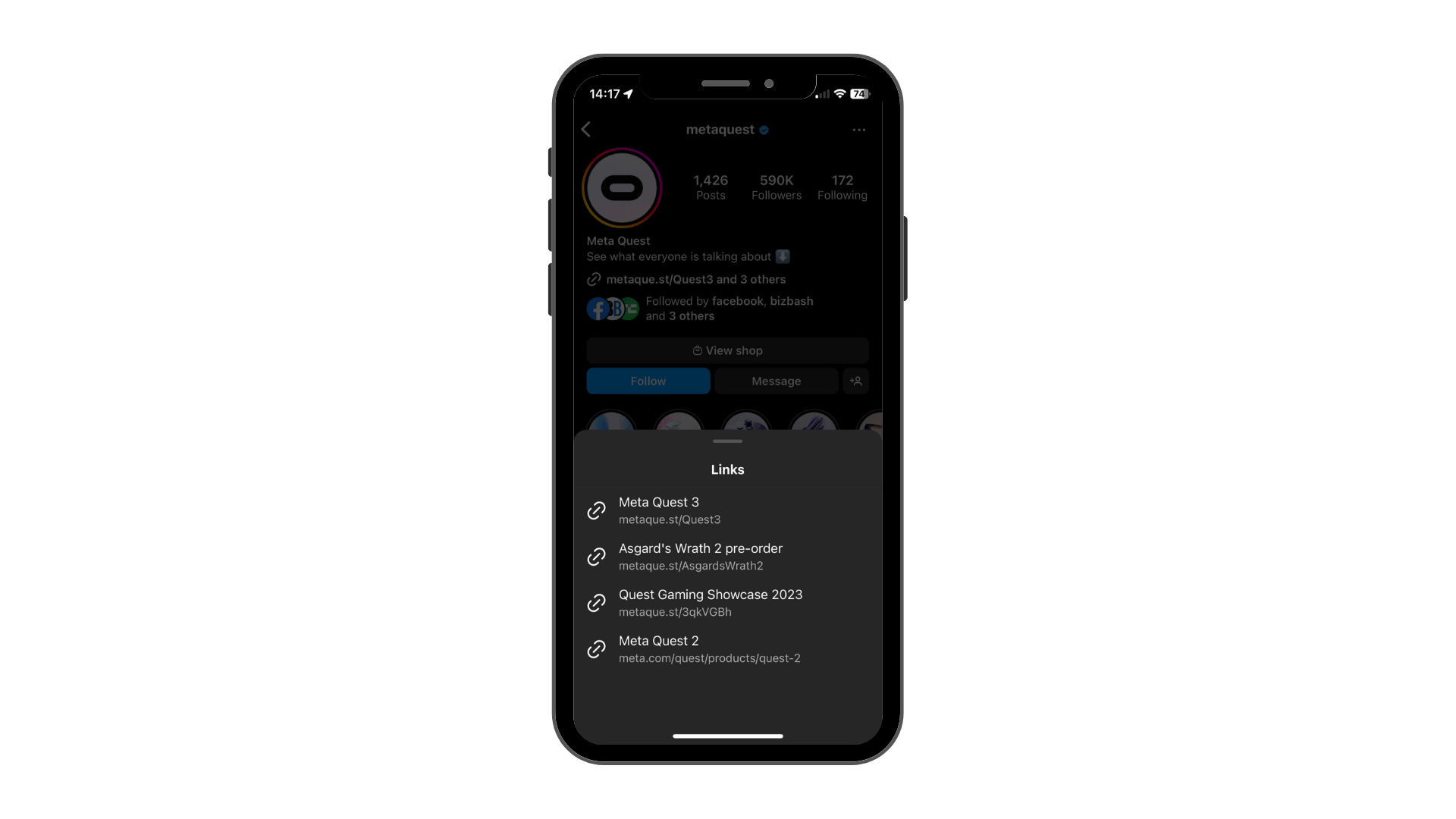
In April 2023, Instagram rolled out the ability to include up to five links directly in your profile bio. Mark Zuckerberg, CEO of Meta, highlighted this feature as “one of the most requested updates.” Previously, marketers relied heavily on third-party apps like Linktree to bypass Instagram’s single-link limitation.
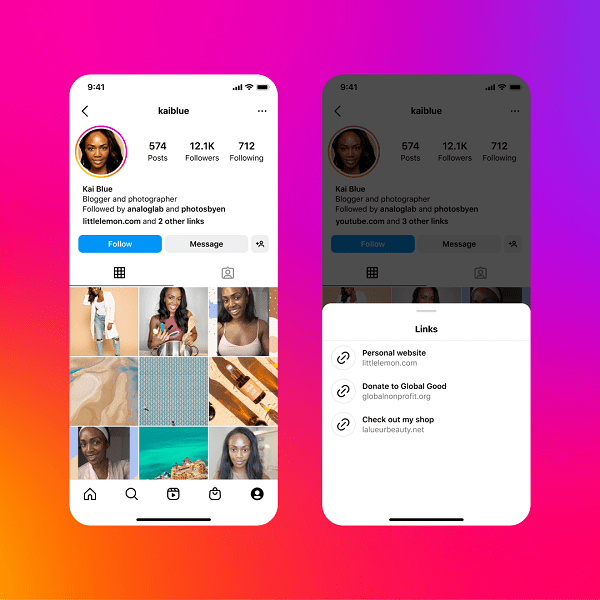
Image Courtesy of Meta
Although Instagram now allows multiple bio links, third-party linking tools still offer advanced analytics, customizable branding, and enhanced functionality. Popular tools marketers continue to use include:
- Linktree: Known for user-friendly interfaces, robust analytics, and customizable branding options.
- Campsite.bio: Offers advanced customization and detailed insights ideal for brands looking for more visual and strategic link presentation.
- Genius Social: Specifically tailored for multi-location enterprises, SOCi’s Genius Social streamlines managing, tracking, and analyzing localized links across multiple social media profiles.
Step-by-Step Instructions: How to Add and Arrange Links
Follow these simple steps to add and arrange multiple links in your Instagram bio:
Step 1: Open Instagram on your mobile device (bio links can only be edited via mobile).
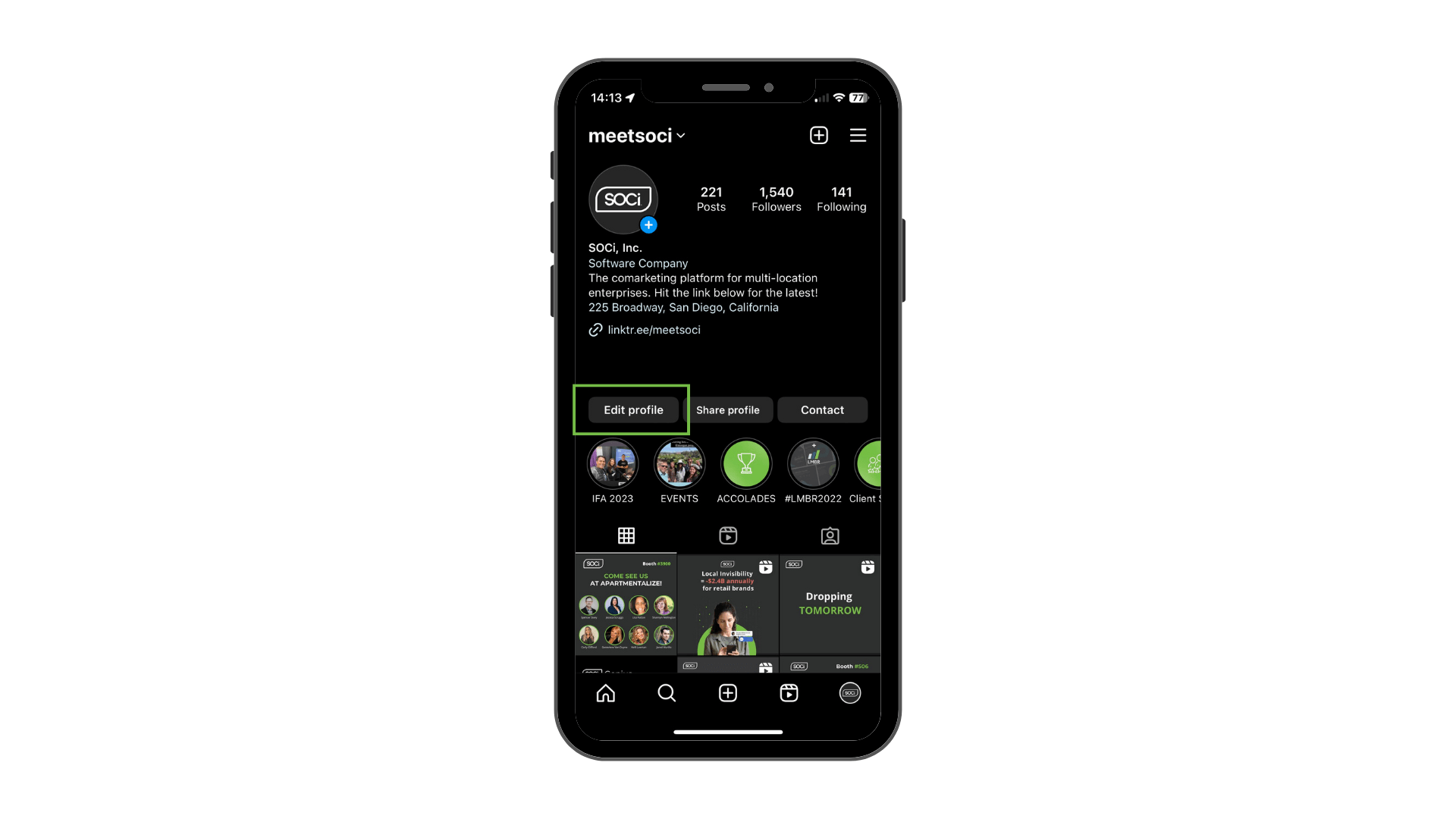
Step 2: Navigate to your profile and tap the “Edit Profile” button located below your bio and follower information.
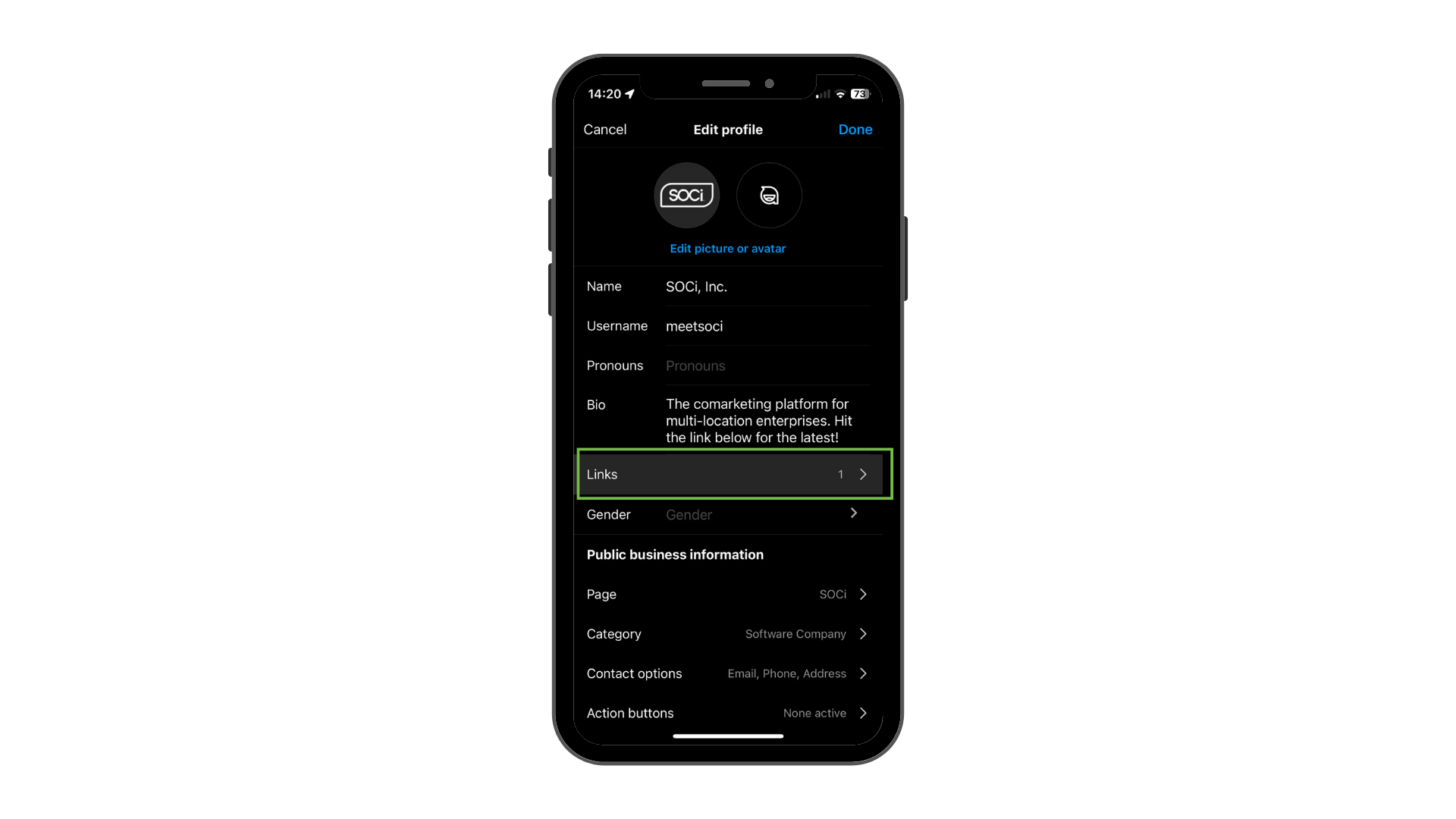
Step 3: Select “Links”, then choose “Add external link.”
Step 4: Enter your URL and assign it a clear, descriptive title. Repeat this step to add additional links (up to five total).
Step 5: Arrange your links by importance, as Instagram prominently displays only the first link along with a summary count of additional links. Users will see your top link followed by “and [number] others,” prompting them to view the full list.
Best Practices for Bio Links
Optimizing your bio links can significantly impact your marketing results. Here are key strategies for leveraging Instagram bio links effectively:
- Promote Special Offers or Campaigns: Direct followers to limited-time offers, sales pages, or exclusive promotions to drive urgency and conversions.
- Highlight Your Brand Story: Guide users to your “About Us” or mission statement page to deepen their understanding of your brand.
- Feature New Products or Services: Showcase recent launches or upcoming releases through dedicated landing pages.
- Drive Traffic to Valuable Content: Use links to share newly published studies, blog posts, or engaging multimedia content.
Why Use Specialized Bio Link Tools?
Even with Instagram’s native multi-link option, dedicated link-in-bio tools offer distinct advantages:
- Analytics and Tracking: Gain deep insights into link performance and user engagement.
- Customizable Branding: Ensure your links and landing pages align seamlessly with your brand identity.
- Improved User Experience: Provide followers with visually appealing and easy-to-navigate link pages.
For multi-location marketers, SOCi Social is especially advantageous, providing comprehensive management, publication, and analysis tools designed specifically for enterprises with numerous local profiles. With SOCi Social, marketers efficiently handle and optimize localized social media strategies, ensuring consistency and effectiveness across locations.
Ready to Amplify Your Social Discovery?
Remember, today’s consumers aren’t just using traditional searches—they’re scrolling, exploring, and deciding based on the social signals they trust. With 73% of consumers discovering brands through social platforms, optimizing your Instagram presence with clearly arranged, engaging links isn’t just smart—it’s essential. Don’t miss out. Start enhancing your Instagram bio links today and meet your audience exactly where they are—on social.
Download the 2025 Consumer Behavior Index today.